ट्रांज़ैक्शनल ईमेल गाइड: सेटअप, डिलिवरेबिलिटी, उदाहरण और मॉनिटरिंग (2026)
ऑर्डर कन्फर्मेशन, पासवर्ड रीसेट, अकाउंट अलर्ट, रसीद और ऐप नोटिफिकेशन के लिए ट्रांज़ैक्शनल ईमेल की योजना बनाएं. SMTP/API सेटअप, डिलिवरेबिलिटी, टेम्पलेट, कम्प्लायंस और मॉनिटरिंग को कवर करता है.

ट्रांज़ैक्शनल ईमेल कस्टमर-सर्विस इंफ्रास्ट्रक्चर हैं. ऑर्डर कन्फर्मेशन, पासवर्ड रीसेट, शिपिंग नोटिफिकेशन, रसीद, अकाउंट अलर्ट, और सिक्योरिटी कोड ऐसे मैसेज हैं जिन्हें लोग तुरंत एक्सपेक्ट करते हैं. जब ये इनबॉक्स तक नहीं पहुंचते, तो ग्राहकों का भरोसा टूटता है और बिज़नेस को सपोर्ट टिकट झेलने पड़ते हैं.
इस संपूर्ण गाइड में, हम ट्रांज़ैक्शनल ईमेल के बारे में वह सब कुछ कवर करेंगे जो आपको जानना चाहिए: ये क्या हैं, मार्केटिंग ईमेल से कैसे अलग हैं, तकनीकी सेटअप की ज़रूरतें, डिलिवरेबिलिटी की बेस्ट प्रैक्टिस, और ऐसे टेम्पलेट जिन्हें आप आज ही इस्तेमाल कर सकते हैं.
ट्रांज़ैक्शनल ईमेल क्या है?
ट्रांज़ैक्शनल ईमेल एक ऑटोमेटेड मैसेज है जो किसी खास यूज़र एक्शन या सिस्टम इवेंट से ट्रिगर होता है. प्रोडक्ट या सेल को प्रमोट करने के लिए भेजी जाने वाली मार्केटिंग ईमेल के उलट, ट्रांज़ैक्शनल ईमेल ऐसी ज़रूरी जानकारी देती हैं जिसे यूज़र एक्सपेक्ट करते हैं और जिसकी उन्हें ज़रूरत होती है.
ट्रांज़ैक्शनल ईमेल की पहचान यह है कि यह एक रिसीवर को उसके किए गए एक्शन के आधार पर भेजी जाती है. रिसीवर का सेंडर के साथ पहले से रिश्ता होता है और वह मैसेज पाने की उम्मीद रखता है.
ट्रांज़ैक्शनल ईमेल की मुख्य विशेषताएं
- यूज़र-ट्रिगर्ड: किसी खास एक्शन के जवाब में भेजी गई
- एक्सपेक्टेड: रिसीवर मैसेज मिलने की उम्मीद रखता है
- टाइम-सेंसिटिव: सीमित समय के लिए ही प्रासंगिक
- वन-टू-वन: लिस्ट को नहीं, इंडिविजुअल रिसीवर को भेजी गई
- ज़रूरी जानकारी: प्रमोशनल कंटेंट नहीं, ज़रूरी डेटा शामिल
ट्रांज़ैक्शनल ईमेल के प्रकार
ट्रांज़ैक्शनल ईमेल कस्टमर कम्युनिकेशन की एक विस्तृत रेंज कवर करती हैं. यहां सबसे आम प्रकार दिए गए हैं:
अकाउंट और ऑथेंटिकेशन ईमेल
| ईमेल टाइप | ट्रिगर | उद्देश्य |
|---|---|---|
| वेलकम ईमेल | अकाउंट क्रिएशन | रजिस्ट्रेशन कन्फर्म करना, अगले कदम बताना |
| पासवर्ड रीसेट | पासवर्ड रीसेट रिक्वेस्ट | सिक्योर रीसेट लिंक देना |
| ईमेल वेरिफिकेशन | नया ईमेल एड्रेस जोड़ा गया | ईमेल का ओनरशिप कन्फर्म करना |
| टू-फैक्टर ऑथेंटिकेशन | लॉगिन अटेम्प्ट | सिक्योरिटी कोड देना |
| अकाउंट अपडेट कन्फर्मेशन | प्रोफाइल में बदलाव | बदलाव होने की पुष्टि करना |
| सिक्योरिटी अलर्ट | संदिग्ध गतिविधि | यूज़र को संभावित ब्रीच की चेतावनी देना |
ई-कॉमर्स ट्रांज़ैक्शन ईमेल
| ईमेल टाइप | ट्रिगर | उद्देश्य |
|---|---|---|
| ऑर्डर कन्फर्मेशन | खरीदारी पूरी हुई | ऑर्डर डिटेल कन्फर्म करना |
| पेमेंट रसीद | पेमेंट प्रोसेस हुआ | पेमेंट का रिकॉर्ड देना |
| शिपिंग नोटिफिकेशन | ऑर्डर शिप हुआ | ट्रैकिंग जानकारी शेयर करना |
| डिलीवरी कन्फर्मेशन | पैकेज डिलीवर हुआ | सफल डिलीवरी कन्फर्म करना |
| रिफंड नोटिफिकेशन | रिफंड प्रोसेस हुआ | रिफंड डिटेल कन्फर्म करना |
| सब्सक्रिप्शन रिन्यूअल | रिकरिंग पेमेंट | आने वाले चार्ज की सूचना देना |
सर्विस और सिस्टम ईमेल
| ईमेल टाइप | ट्रिगर | उद्देश्य |
|---|---|---|
| अपॉइंटमेंट कन्फर्मेशन | बुकिंग हुई | तारीख, समय, डिटेल कन्फर्म करना |
| अपॉइंटमेंट रिमाइंडर | आने वाला अपॉइंटमेंट | नो-शो कम करना |
| इनवॉइस | सर्विस दी गई | पेमेंट रिक्वेस्ट करना |
| सपोर्ट टिकट अपडेट | टिकट एक्टिविटी | जवाब की सूचना देना |
| यूसेज अलर्ट | थ्रेशोल्ड पहुंचा | लिमिट नज़दीक आने की चेतावनी देना |
| एक्सपोर्ट/डाउनलोड तैयार | डेटा प्रोसेसिंग पूरी | डाउनलोड लिंक देना |
ट्रांज़ैक्शनल ईमेल बनाम मार्केटिंग ईमेल
ट्रांज़ैक्शनल और मार्केटिंग ईमेल के बीच के अंतर को समझना कम्प्लायंस, डिलिवरेबिलिटी, और कस्टमर एक्सपीरियंस के लिए बेहद ज़रूरी है.
मुख्य अंतर
| पहलू | ट्रांज़ैक्शनल ईमेल | मार्केटिंग ईमेल |
|---|---|---|
| ट्रिगर | यूज़र एक्शन | सेंडर का फैसला |
| उम्मीद | रिसीवर को उम्मीद होती है | उम्मीद हो भी सकती है, नहीं भी |
| कंटेंट | ज़रूरी जानकारी | प्रमोशनल कंटेंट |
| ऑप्ट-आउट | ज़रूरी नहीं | कानून के तहत ज़रूरी |
| टाइमिंग | तुरंत/टाइम-सेंसिटिव | शेड्यूल्ड कैम्पेन |
| वॉल्यूम | एक बार में एक | बल्क सेंड |
| रिश्ता | मौजूदा ग्राहक | सब्सक्राइबर लिस्ट |
कानूनी अंतर
CAN-SPAM, GDPR, और अन्य रेगुलेशन के तहत, ट्रांज़ैक्शनल ईमेल को खास ट्रीटमेंट मिलता है:
- ऑप्ट-आउट ज़रूरी नहीं: चूंकि यूज़र ने ही मैसेज ट्रिगर किया है, उसने इंप्लिसिटली सहमति दी है
- Unsubscribe लिंक की ज़रूरत नहीं: हालांकि कुछ बिज़नेस सर्विस ईमेल में इसे शामिल करते हैं
- प्राइमरी परपज़ रूल: ईमेल का मुख्य उद्देश्य ट्रांज़ैक्शनल होना चाहिए, प्रमोशनल नहीं
चेतावनी: ट्रांज़ैक्शनल ईमेल में बहुत ज़्यादा प्रमोशनल कंटेंट जोड़ने से उन्हें मार्केटिंग ईमेल की तरह रीक्लासिफाई किया जा सकता है, जिसके लिए ऑप्ट-आउट कम्प्लायंस ज़रूरी हो जाएगा.
ग्रे एरिया: ट्रांज़ैक्शनल-मार्केटिंग हाइब्रिड
कुछ ईमेल यह लाइन धुंधली कर देती हैं:
- प्रोडक्ट रिकमेंडेशन के साथ ऑर्डर कन्फर्मेशन: स्वीकार्य अगर रिकमेंडेशन सेकंडरी हों
- डिस्काउंट कोड के साथ शिपिंग नोटिफिकेशन: मार्केटिंग माना जा सकता है
- “नया क्या है देखें” के साथ पासवर्ड रीसेट: प्रॉब्लमैटिक मिक्सिंग
बेस्ट प्रैक्टिस: ट्रांज़ैक्शनल ईमेल को फोकस्ड रखें. अगर आप प्रमोशनल कंटेंट शामिल करते हैं, तो उसे सर्विस मैसेज के मुकाबले साफ़ तौर पर सेकंडरी रखें और सुनिश्चित करें कि प्राइमरी परपज़ ट्रांज़ैक्शनल ही बना रहे.
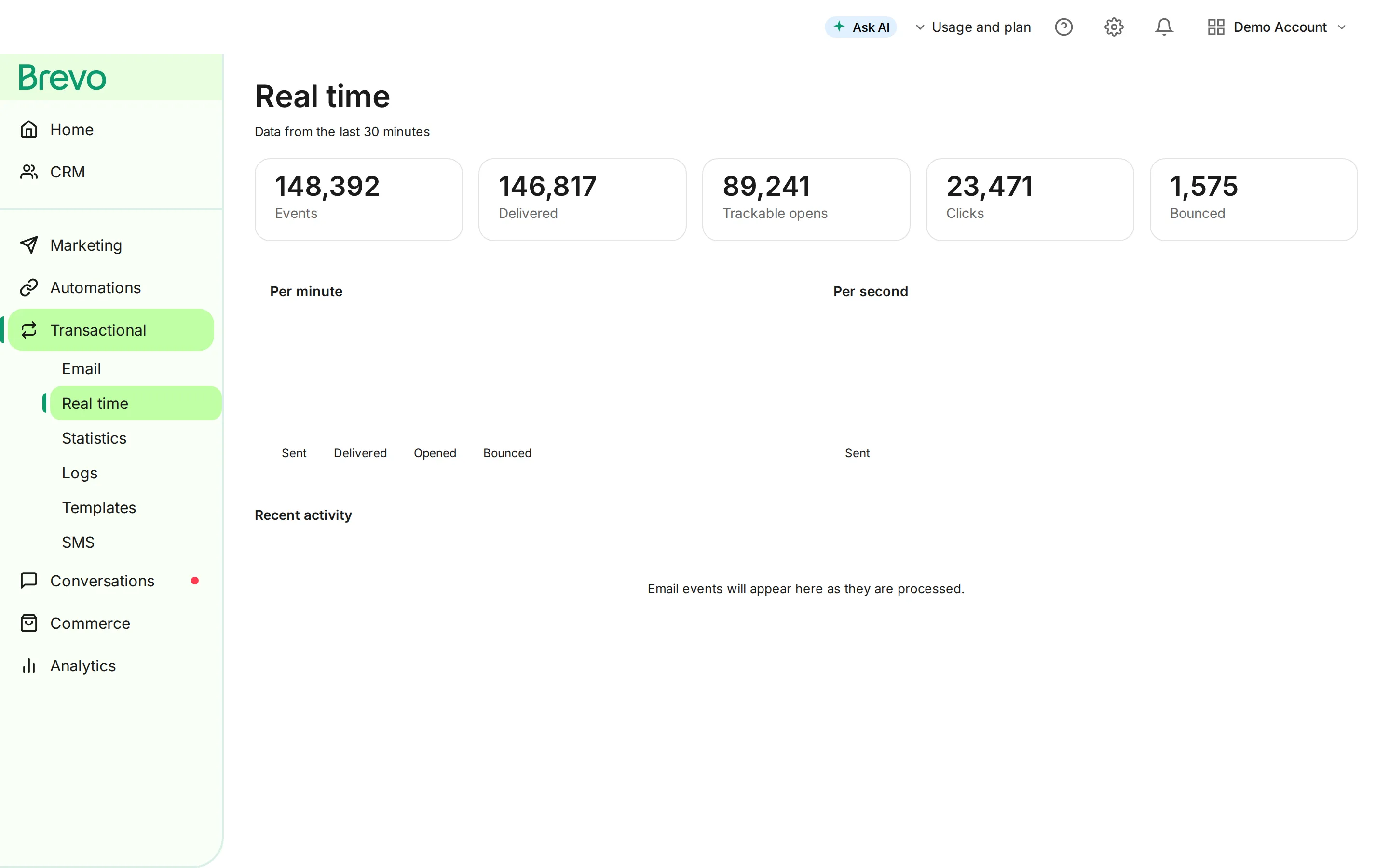
ट्रांज़ैक्शनल ईमेल डिलिवरेबिलिटी क्यों मायने रखती है
ट्रांज़ैक्शनल ईमेल ज़रूरी जानकारी ले जाती हैं. जब ये नहीं पहुंचतीं, तो इसके नतीजे असली होते हैं:
फेल्ड डिलीवरी का बिज़नेस पर असर
- राजस्व का नुकसान: ग्राहक पासवर्ड रीसेट पूरा नहीं कर पाते या अकाउंट वेरिफाई नहीं कर पाते
- सपोर्ट का बोझ: “मेरा ऑर्डर कहां है?” जैसे टिकट आपके इनबॉक्स में भर जाते हैं
- ग्राहक की नाराज़गी: आपके ब्रांड में भरोसा कम होता है
- कम्प्लायंस रिस्क: गुम रसीद या कन्फर्मेशन कानूनी समस्याएं पैदा कर सकते हैं
- चर्न: ग्राहक ऐसे ब्रांड छोड़ देते हैं जिन पर वे भरोसा नहीं कर सकते
ध्यान देने वाले ऑपरेशनल सिग्नल
ट्रांज़ैक्शनल ईमेल को मार्केटिंग कैम्पेन के मुकाबले ऑब्ज़र्व करना आसान होना चाहिए क्योंकि हर इवेंट एक यूज़र एक्शन से जुड़ा होता है:
| सिग्नल | हेल्दी पैटर्न | कब जांच करें |
|---|---|---|
| डिलीवरी इवेंट | ज़रूरी मैसेज प्रोवाइडर और रिसीवर सर्वर तक तेज़ी से पहुंचते हैं | इवेंट देर से आएं, गायब हों, या मेलबॉक्स प्रोवाइडर के हिसाब से केंद्रित हों |
| बाउंस हैंडलिंग | Hard bounce सप्रेस होते हैं और हमेशा के लिए रीट्राई नहीं होते | वही खराब एड्रेस बार-बार अटेम्प्ट पाते रहें |
| कंप्लेंट सिग्नल | कंप्लेंट कम आएं और तुरंत रिव्यू हों | कोई टेम्पलेट, लिस्ट सोर्स, या सेंडर आइडेंटिटी बार-बार कंप्लेंट पैदा करे |
| पासवर्ड रीसेट टाइमिंग | रीसेट और वेरिफिकेशन ईमेल तब पहुंचें जब यूज़र अभी भी सेशन में हो | यूज़र कई लिंक रिक्वेस्ट करें या सपोर्ट से संपर्क करें |
| प्रोवाइडर एरर | API और SMTP एरर को इतने कॉन्टेक्स्ट के साथ लॉग किया जाए कि उन्हें सुरक्षित तरीके से रीप्ले किया जा सके | फेलियर सिर्फ़ ग्राहक की शिकायतों से पता चलें |
अगर ये सिग्नल बिगड़ें, तो इसे सिर्फ़ मार्केटिंग मेट्रिक की समस्या नहीं बल्कि प्रोडक्ट इंसिडेंट मानें.
ट्रांज़ैक्शनल ईमेल का तकनीकी सेटअप
ट्रांज़ैक्शनल ईमेल इंफ्रास्ट्रक्चर सेटअप करने के लिए ऑथेंटिकेशन, सेंडिंग मेथड, और मॉनिटरिंग पर ध्यान देना ज़रूरी है.
ईमेल ऑथेंटिकेशन: SPF, DKIM, और DMARC
ईमेल ऑथेंटिकेशन रिसीविंग सर्वर को यह साबित करता है कि आपके ईमेल असली हैं. सही ऑथेंटिकेशन के बिना, आपके ट्रांज़ैक्शनल ईमेल स्पैम में जा सकते हैं या पूरी तरह रिजेक्ट हो सकते हैं.
SPF (Sender Policy Framework)
SPF रिसीविंग सर्वर को बताता है कि आपके डोमेन की ओर से ईमेल भेजने के लिए कौन-से IP एड्रेस ऑथराइज़्ड हैं.
SPF कैसे सेटअप करें:
- अपने डोमेन की ओर से ईमेल भेजने वाले सभी IP एड्रेस और सर्विस पहचानें
- अपने DNS में एक TXT रिकॉर्ड बनाएं
- अपने ईमेल सर्विस प्रोवाइडर का SPF include जोड़ें
v=spf1 include:spf.brevo.com include:_spf.google.com -allSPF बेस्ट प्रैक्टिस:
- 10 DNS lookup तक सीमित रखें (SPF lookup लिमिट)
- सबसे सख्त एन्फोर्समेंट के लिए
-all(hard fail) इस्तेमाल करें - सभी असली सेंडिंग सोर्स शामिल करें
- जो सर्विस अब इस्तेमाल नहीं होतीं उन्हें शामिल न करें
DKIM (DomainKeys Identified Mail)
DKIM आपके ईमेल में एक क्रिप्टोग्राफिक सिग्नेचर जोड़ता है, जिससे रिसीवर यह वेरिफाई कर सकते हैं कि मैसेज ट्रांज़िट में बदला नहीं गया.
DKIM कैसे सेटअप करें:
- अपने ESP के ज़रिए एक public/private की-पेयर जनरेट करें
- अपने DNS में public की को TXT रिकॉर्ड के तौर पर जोड़ें
- आउटगोइंग ईमेल साइन करने के लिए अपना ESP कॉन्फ़िगर करें
selector._domainkey.yourdomain.com TXT "v=DKIM1; k=rsa; p=[public-key]"DKIM बेस्ट प्रैक्टिस:
- 2048-bit कीज़ इस्तेमाल करें (1024-bit पुराना हो चुका है)
- कीज़ को समय-समय पर बदलें (कम से कम सालाना)
- अलग-अलग सर्विस के लिए यूनीक सिलेक्टर इस्तेमाल करें
- MXToolbox जैसे टूल से वेरिफाई करें कि सिग्नेचर पास हो रहे हैं
DMARC (Domain-based Message Authentication, Reporting & Conformance)
DMARC रिसीविंग सर्वर को बताता है कि SPF और DKIM चेक में फेल होने वाले ईमेल के साथ क्या करना है.
DMARC कैसे सेटअप करें:
- एक मॉनिटरिंग पॉलिसी (p=none) से शुरू करें
- _dmarc.yourdomain.com पर एक TXT रिकॉर्ड जोड़ें
- रिपोर्ट मॉनिटर करें और पॉलिसी एडजस्ट करें
प्रोग्रेसिव DMARC इम्प्लीमेंटेशन:
# Stage 1: Monitor onlyv=DMARC1; p=none; rua=mailto:[email protected]
# Stage 2: Quarantine failuresv=DMARC1; p=quarantine; pct=25; rua=mailto:[email protected]
# Stage 3: Full enforcementv=DMARC1; p=reject; rua=mailto:[email protected]
DMARC बेस्ट प्रैक्टिस:
- सीधे p=reject पर न जाएं
- हर स्टेज पर कई हफ्तों तक रिपोर्ट मॉनिटर करें
- pct (percentage) धीरे-धीरे बढ़ाएं
- एन्फोर्स करने से पहले ऑथेंटिकेशन इश्यू ठीक करें
सेंडिंग मेथड: SMTP बनाम API
ट्रांज़ैक्शनल ईमेल भेजने के लिए आपके पास दो मुख्य विकल्प हैं: SMTP relay या API इंटीग्रेशन.
SMTP Relay
पारंपरिक ईमेल सेंडिंग प्रोटोकॉल. आपका एप्लिकेशन मैसेज भेजने के लिए एक SMTP सर्वर से कनेक्ट होता है.
फ़ायदे:
- यूनिवर्सल सपोर्ट, किसी भी ईमेल-कैपेबल एप्लिकेशन के साथ काम करता है
- मौजूदा सिस्टम के साथ सेटअप करना आसान
- बेसिक इम्प्लीमेंटेशन के लिए कोई कोड बदलाव ज़रूरी नहीं
नुकसान:
- API से धीमा (कनेक्शन ओवरहेड)
- डिलीवरी स्टेटस पर सीमित फीडबैक
- मैसेज फ़ॉर्मेटिंग पर कम कंट्रोल
SMTP कॉन्फ़िगरेशन उदाहरण:
Host: smtp-relay.brevo.comPort: 587 (TLS) or 465 (SSL)Username: your-api-keyPassword: your-api-keyAuthentication: RequiredAPI इंटीग्रेशन
प्रोग्रामैटिक सेंडिंग के लिए अपने ईमेल सर्विस प्रोवाइडर के API के साथ डायरेक्ट इंटीग्रेशन.
फ़ायदे:
- तेज़ डिलीवरी (कोई SMTP handshake नहीं)
- रिच डिलीवरी और एंगेजमेंट डेटा
- बेहतर एरर हैंडलिंग
- टेम्पलेट मैनेजमेंट क्षमताएं
- बैच सेंडिंग सपोर्ट
नुकसान:
- कोड इंटीग्रेशन ज़रूरी
- प्रोवाइडर-स्पेसिफिक इम्प्लीमेंटेशन
- ज़्यादा जटिल शुरुआती सेटअप
API सेंडिंग उदाहरण (कॉन्सेप्चुअल):
// Example transactional email via APIconst emailData = { templateId: 123, params: { orderNumber: "ORD-12345", orderTotal: "$99.99", trackingUrl: "https://tracking.example.com/12345" }};
await emailService.sendTransactional(emailData);कौन सा चुनें?
| सिनैरियो | सिफारिश |
|---|---|
| लेगेसी सिस्टम इंटीग्रेशन | SMTP |
| मॉडर्न वेब एप्लिकेशन | API |
| हाई वॉल्यूम या इवेंट-रिच सेंडिंग | API |
| डिटेल्ड डिलीवरी ट्रैकिंग चाहिए | API |
| क्विक इम्प्लीमेंटेशन | SMTP |
| टेम्पलेट मैनेजमेंट | API |
ट्रांज़ैक्शनल ईमेल प्रोवाइडर चुनना
ट्रांज़ैक्शनल ईमेल सर्विस चुनते समय मुख्य फैक्टर:
डिलिवरेबिलिटी:
- रेप्युटेशन मैनेजमेंट
- Dedicated IP विकल्प
- ऑथेंटिकेशन सपोर्ट
- ISP रिलेशनशिप
रिलायबिलिटी:
- अपटाइम SLA (कम से कम 99.9%+)
- ग्लोबल इंफ्रास्ट्रक्चर
- फेलओवर क्षमताएं
- क्यू मैनेजमेंट
फीचर:
- टेम्पलेट मैनेजमेंट
- डिलीवरी ट्रैकिंग
- Webhook नोटिफिकेशन
- एनालिटिक्स डैशबोर्ड
- API डॉक्यूमेंटेशन क्वालिटी
प्राइसिंग:
- प्रति ईमेल कॉस्ट
- वॉल्यूम डिस्काउंट
- शामिल फीचर
- ओवरेज चार्ज
ट्रांज़ैक्शनल ईमेल डिलिवरेबिलिटी की बेस्ट प्रैक्टिस
99%+ डिलीवरी रेट हासिल करने के लिए कई फैक्टर पर ध्यान देना ज़रूरी है.
ट्रांज़ैक्शनल और मार्केटिंग स्ट्रीम अलग रखें
ट्रांज़ैक्शनल और मार्केटिंग ईमेल कभी भी एक ही IP एड्रेस या डोमेन से न भेजें.
अलग रखना क्यों ज़रूरी है:
- मार्केटिंग ईमेल में ज़्यादा कंप्लेंट और बाउंस आते हैं
- खराब मार्केटिंग रेप्युटेशन ट्रांज़ैक्शनल डिलीवरी को प्रभावित करती है
- अलग-अलग सेंडिंग पैटर्न ISP एल्गोरिदम को कन्फ्यूज़ करते हैं
- अलग स्ट्रीम से इश्यू ट्रबलशूट करना आसान होता है
इम्प्लीमेंटेशन विकल्प:
- सबडोमेन: ट्रांज़ैक्शनल के लिए
transact.yourdomain.com, कैम्पेन के लिएmarketing.yourdomain.com - अलग IP: मेन डोमेन पर ट्रांज़ैक्शनल के लिए dedicated IP
- अलग प्रोवाइडर: स्पेशलाइज़्ड ट्रांज़ैक्शनल प्रोवाइडर इस्तेमाल करें
साफ़-सुथरी सेंडर रेप्युटेशन बनाए रखें
आपकी सेंडर रेप्युटेशन सीधे डिलिवरेबिलिटी को प्रभावित करती है.
रेप्युटेशन फैक्टर:
- बाउंस रेट (hard bounce सबसे ज़्यादा नुकसान करते हैं)
- कंप्लेंट रेट (स्पैम रिपोर्ट)
- स्पैम ट्रैप हिट
- एंगेजमेंट मेट्रिक्स
- सेंडिंग वॉल्यूम की निरंतरता
अपनी रेप्युटेशन कैसे प्रोटेक्ट करें:
- बाउंस को तुरंत प्रोसेस करें
- इनवैलिड एड्रेस हटाएं
- फीडबैक लूप मॉनिटर करें
- सभी ईमेल ऑथेंटिकेट करें
- नए IP को धीरे-धीरे वार्म अप करें
डिलीवरी मेट्रिक्स मॉनिटर करें
इन मेट्रिक्स को रोज़ाना ट्रैक करें:
| मेट्रिक | टारगेट | नीचे होने पर एक्शन |
|---|---|---|
| डिलीवरी रेट | >99% | बाउंस, ऑथेंटिकेशन जांचें |
| बाउंस रेट | 0.5% से कम | लिस्ट क्लीन करें, एड्रेस वैलिडेट करें |
| स्पैम कंप्लेंट रेट | 0.01% से कम | कंटेंट, सेगमेंटेशन रिव्यू करें |
| डिलीवर होने का समय | 30 सेकंड से कम | प्रोवाइडर परफॉर्मेंस जांचें |
बाउंस को सही तरीके से हैंडल करें
Hard bounce: इनवैलिड एड्रेस, तुरंत हटाएं Soft bounce: टेम्पररी इश्यू, एक्सपोनेंशियल बैकऑफ के साथ रीट्राई करें
बाउंस हैंडलिंग वर्कफ़्लो:
- बाउंस नोटिफिकेशन प्राप्त करें
- hard या soft के तौर पर क्लासिफाई करें
- Hard bounce: एड्रेस को तुरंत सप्रेस करें
- Soft bounce: 72 घंटों में 3 बार तक रीट्राई करें
- 3 soft bounce के बाद: hard bounce मानें
कंटेंट की बेस्ट प्रैक्टिस
परफेक्ट तकनीकी सेटअप के बावजूद, खराब कंटेंट स्पैम फिल्टर ट्रिगर कर सकता है.
सब्जेक्ट लाइन:
- साफ़ और स्पेसिफिक रहें (“आपका ऑर्डर #12345 शिप हो गया है”)
- स्पैम ट्रिगर शब्दों से बचें
- उपयुक्त आइडेंटिफायर शामिल करें (ऑर्डर नंबर, अकाउंट नाम)
बॉडी कंटेंट:
- टेक्स्ट-टू-इमेज रेशियो बैलेंस्ड रखें
- प्लेन टेक्स्ट वर्ज़न शामिल करें
- ज़्यादा लिंक से बचें
- लिंक शॉर्टनर इस्तेमाल न करें
- असली कॉन्टैक्ट जानकारी शामिल करें
HTML बेस्ट प्रैक्टिस:
- लेआउट के लिए टेबल इस्तेमाल करें (ईमेल क्लाइंट कम्पैटिबिलिटी)
- CSS स्टाइल इनलाइन करें
- अलग-अलग ईमेल क्लाइंट पर टेस्ट करें
- कोड क्लीन और वैलिड रखें
- साइज़ के लिए इमेज ऑप्टिमाइज़ करें
ट्रांज़ैक्शनल ईमेल टेम्पलेट
यहां आम ट्रांज़ैक्शनल ईमेल के लिए रेडी-टू-यूज़ टेम्पलेट दिए गए हैं.
ऑर्डर कन्फर्मेशन टेम्पलेट
Subject: ऑर्डर कन्फर्म हुआ - #[ORDER_NUMBER]
---
नमस्ते [CUSTOMER_NAME],
आपके ऑर्डर के लिए धन्यवाद!
ऑर्डर विवरणऑर्डर नंबर: [ORDER_NUMBER]ऑर्डर की तारीख: [ORDER_DATE]
ऑर्डर किए गए आइटम[PRODUCT_NAME] x [QUANTITY] - [PRICE][PRODUCT_NAME] x [QUANTITY] - [PRICE]
सबटोटल: [SUBTOTAL]शिपिंग: [SHIPPING_COST]टैक्स: [TAX]--------------------------कुल: [ORDER_TOTAL]
शिपिंग एड्रेस[SHIPPING_NAME][SHIPPING_ADDRESS_LINE1][SHIPPING_ADDRESS_LINE2][SHIPPING_CITY], [SHIPPING_STATE] [SHIPPING_ZIP][SHIPPING_COUNTRY]
अनुमानित डिलीवरी[DELIVERY_ESTIMATE]
ऑर्डर शिप होते ही हम आपको ट्रैकिंग नंबरभेज देंगे.
कोई सवाल? इस ईमेल का जवाब दें या हमारेहेल्प सेंटर पर जाएं: [HELP_CENTER_URL]
हमारे साथ शॉपिंग करने के लिए धन्यवाद!
[COMPANY_NAME]
शिपिंग नोटिफिकेशन टेम्पलेट
Subject: आपका ऑर्डर #[ORDER_NUMBER] रास्ते में है!
---
बढ़िया खबर, [CUSTOMER_NAME]!
आपका ऑर्डर शिप हो चुका है और आपकी ओर आ रहा है.
ट्रैकिंग जानकारीकैरियर: [CARRIER_NAME]ट्रैकिंग नंबर: [TRACKING_NUMBER][अपना पैकेज ट्रैक करें - BUTTON]
अनुमानित डिलीवरी[DELIVERY_DATE]
शिपिंग टू[SHIPPING_NAME][SHIPPING_ADDRESS]
ऑर्डर सारांश[PRODUCT_LIST]
मदद चाहिए? हमसे [SUPPORT_EMAIL] पर संपर्क करें
[COMPANY_NAME]
पासवर्ड रीसेट टेम्पलेट
Subject: अपना [COMPANY_NAME] पासवर्ड रीसेट करें
---
नमस्ते [CUSTOMER_NAME],
हमें आपका पासवर्ड रीसेट करने की रिक्वेस्ट मिली है.
नया पासवर्ड चुनने के लिए नीचे दिए गए बटन पर क्लिक करें:
[पासवर्ड रीसेट करें - BUTTON]
या इस लिंक को कॉपी करके पेस्ट करें:[RESET_URL]
यह लिंक [EXPIRY_TIME] घंटों में एक्सपायर हो जाएगी.
अगर आपने पासवर्ड रीसेट रिक्वेस्ट नहीं की, तो आपइस ईमेल को सुरक्षित रूप से नज़रअंदाज़ कर सकते हैं. आपका पासवर्डनहीं बदला जाएगा.
सुरक्षा के लिए, यह रिक्वेस्ट यहां से मिली:IP एड्रेस: [IP_ADDRESS]लोकेशन: [LOCATION]डिवाइस: [DEVICE_INFO]
कोई सवाल? हमारी सपोर्ट टीम से [SUPPORT_EMAIL] पर संपर्क करें
[COMPANY_NAME] सिक्योरिटी टीम
अकाउंट वेरिफिकेशन टेम्पलेट
Subject: अपना ईमेल एड्रेस वेरिफाई करें
---
नमस्ते [CUSTOMER_NAME],
[COMPANY_NAME] अकाउंट बनाने के लिए धन्यवाद!
कृपया नीचे दिए गए बटन पर क्लिक करकेअपना ईमेल एड्रेस वेरिफाई करें:
[ईमेल वेरिफाई करें - BUTTON]
या इस लिंक को कॉपी करके पेस्ट करें:[VERIFICATION_URL]
यह लिंक [EXPIRY_TIME] घंटों में एक्सपायर हो जाएगी.
वेरिफाई होने के बाद, आपको इनका पूरा एक्सेस मिलेगा:- [BENEFIT_1]- [BENEFIT_2]- [BENEFIT_3]
अगर आपने यह अकाउंट नहीं बनाया, तो कृपयाइस ईमेल को नज़रअंदाज़ करें या हमसे [SUPPORT_EMAIL] पर संपर्क करें.
वेलकम अबोर्ड!
[COMPANY_NAME]
सब्सक्रिप्शन रिन्यूअल रिमाइंडर टेम्पलेट
Subject: आपका [COMPANY_NAME] सब्सक्रिप्शन जल्द रिन्यू होगा
---
नमस्ते [CUSTOMER_NAME],
आपका [PLAN_NAME] सब्सक्रिप्शन [RENEWAL_DATE] कोअपने आप रिन्यू हो जाएगा.
सब्सक्रिप्शन विवरणप्लान: [PLAN_NAME]रिन्यूअल राशि: [RENEWAL_AMOUNT]रिन्यूअल तारीख: [RENEWAL_DATE]पेमेंट मेथड: [PAYMENT_METHOD_LAST_4]
कोई एक्शन ज़रूरी नहीं, हम आपके सेव किए गए पेमेंटमेथड से अपने आप चार्ज कर देंगे.
बदलाव करना चाहते हैं?- पेमेंट मेथड अपडेट करें: [PAYMENT_URL]- अपना प्लान बदलें: [PLAN_URL]- सब्सक्रिप्शन कैंसल करें: [CANCEL_URL]
बदलाव [CUTOFF_DATE] से पहले करने होंगे.
अपने सब्सक्रिप्शन को लेकर कोई सवाल? हमसे[SUPPORT_EMAIL] पर संपर्क करें.
[COMPANY_NAME]
रिफंड कन्फर्मेशन टेम्पलेट
Subject: ऑर्डर #[ORDER_NUMBER] के लिए रिफंड प्रोसेस हुआ
---
नमस्ते [CUSTOMER_NAME],
आपका रिफंड प्रोसेस हो चुका है.
रिफंड विवरणमूल ऑर्डर: #[ORDER_NUMBER]रिफंड राशि: [REFUND_AMOUNT]रिफंड मेथड: [REFUND_METHOD]रेफरेंस नंबर: [REFUND_REFERENCE]
टाइमलाइन- क्रेडिट कार्ड रिफंड: 5-10 बिज़नेस दिन- PayPal रिफंड: 3-5 बिज़नेस दिन- स्टोर क्रेडिट: तुरंत
रिफंड किए गए आइटम[PRODUCT_NAME] x [QUANTITY] - [REFUND_AMOUNT]
अगर आपके रिफंड को लेकर कोई सवाल है, तो कृपयाअपने ऑर्डर नंबर के साथ [SUPPORT_EMAIL] पर हमसेसंपर्क करें.
उम्मीद है हम आपको दोबारा जल्द देखेंगे.
[COMPANY_NAME]
टू-फैक्टर ऑथेंटिकेशन कोड टेम्पलेट
Subject: आपका [COMPANY_NAME] सिक्योरिटी कोड
---
नमस्ते [CUSTOMER_NAME],
आपका वेरिफिकेशन कोड है:
[CODE]
यह कोड [EXPIRY_TIME] मिनटों में एक्सपायर हो जाएगा.
अगर आपने यह कोड रिक्वेस्ट नहीं किया, तो कृपयाअपना पासवर्ड बदलकर और हमारी सपोर्ट टीम से संपर्क करकेतुरंत अपना अकाउंट सुरक्षित करें.
सुरक्षा के लिए:- यह कोड किसी के साथ शेयर न करें- [COMPANY_NAME] कभी भी यह कोड नहीं मांगेगा- यह कोड सिर्फ़ एक बार इस्तेमाल किया जा सकता है
मदद चाहिए? [SUPPORT_EMAIL] पर संपर्क करें
[COMPANY_NAME] सिक्योरिटी टीम
इनवॉइस ईमेल टेम्पलेट
Subject: [COMPANY_NAME] से इनवॉइस #[INVOICE_NUMBER]
---
नमस्ते [CUSTOMER_NAME],
यह रहा [SERVICE_DESCRIPTION] के लिए आपका इनवॉइस.
इनवॉइस विवरणइनवॉइस नंबर: [INVOICE_NUMBER]इनवॉइस तारीख: [INVOICE_DATE]ड्यू डेट: [DUE_DATE]
चार्ज[SERVICE_DESCRIPTION] - [AMOUNT][ADDITIONAL_ITEMS]
सबटोटल: [SUBTOTAL]टैक्स ([TAX_RATE]%): [TAX_AMOUNT]--------------------------कुल देय राशि: [TOTAL_AMOUNT]
पेमेंट विकल्प[अभी पे करें - BUTTON]
या इसके ज़रिए पे करें:- बैंक ट्रांसफर: [BANK_DETAILS]- चेक: [MAILING_ADDRESS] पर मेल करें
इस इनवॉइस को लेकर कोई सवाल? इस ईमेल का जवाब देंया [BILLING_EMAIL] पर संपर्क करें.
आपके बिज़नेस के लिए धन्यवाद!
[COMPANY_NAME]
ट्रांज़ैक्शनल ईमेल टेस्ट करना
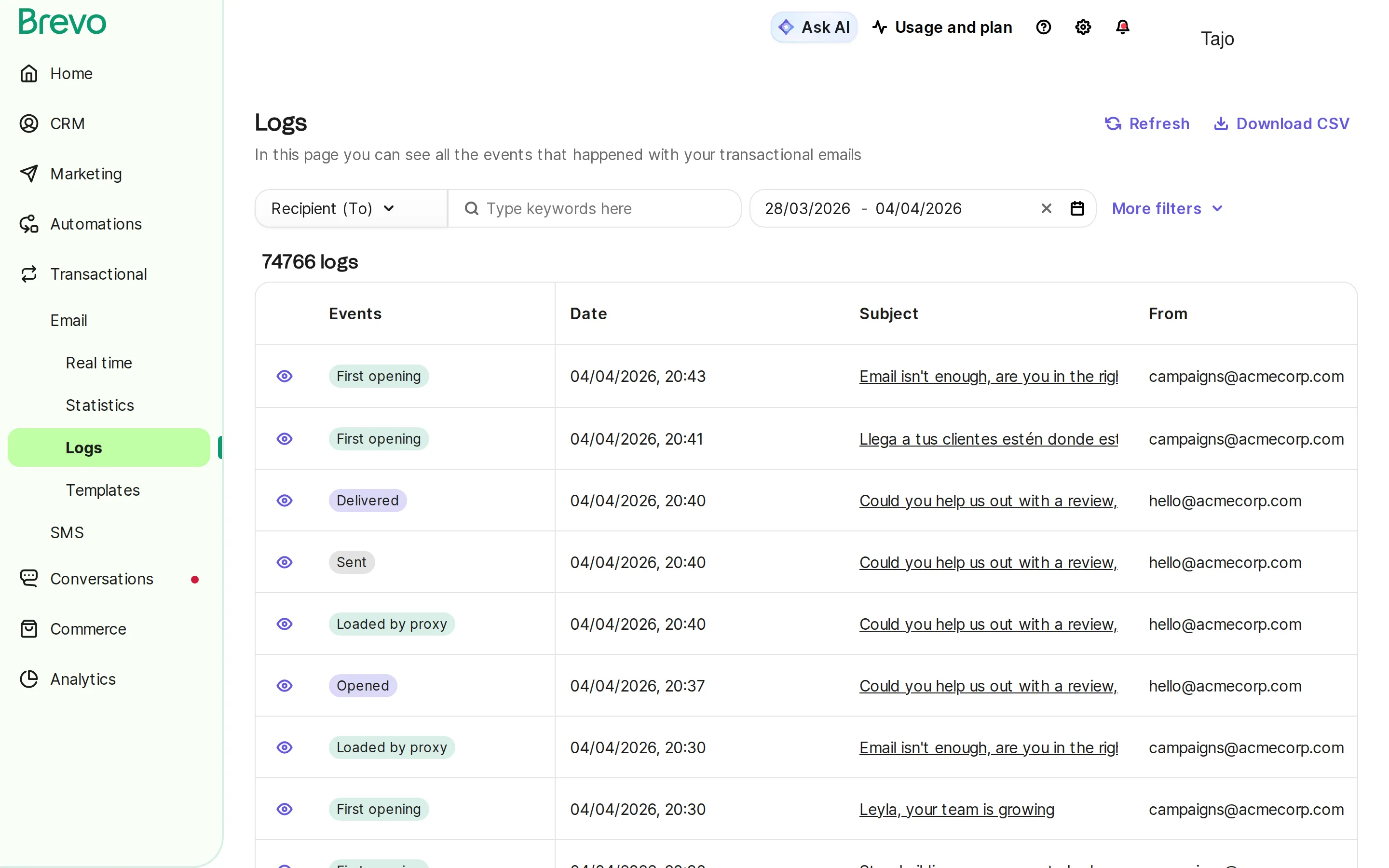
प्रोडक्शन में ट्रांज़ैक्शनल ईमेल डिप्लॉय करने से पहले, अच्छी तरह टेस्टिंग करना ज़रूरी है.
प्री-लॉन्च चेकलिस्ट
कंटेंट वेरिफिकेशन:
- सभी merge tag सही तरीके से पॉप्युलेट होते हैं
- लिंक वैलिड और ट्रैक करने लायक हैं
- इमेज सही तरीके से दिखती हैं
- प्लेन टेक्स्ट वर्ज़न पढ़ने लायक है
- कानूनी ज़रूरतें पूरी हैं (एड्रेस, बिज़नेस जानकारी)
तकनीकी वेरिफिकेशन:
- SPF, DKIM, DMARC पास होते हैं
- From एड्रेस ऑथेंटिकेटेड डोमेन से मैच करता है
- Reply-to मॉनिटर किया जाता है
- सब्जेक्ट लाइन सही तरीके से रेंडर होती है
क्रॉस-क्लाइंट टेस्टिंग:
- Gmail (वेब और मोबाइल)
- Outlook (डेस्कटॉप और वेब)
- Apple Mail
- Yahoo Mail
- मोबाइल डिवाइस (iOS और Android)
टेस्टिंग टूल
- Mail Tester: स्पैम स्कोर चेक
- Litmus: ईमेल क्लाइंट प्रीव्यू
- Email on Acid: रेंडरिंग टेस्ट
- GlockApps: डिलिवरेबिलिटी टेस्टिंग
- MXToolbox: ऑथेंटिकेशन वेरिफिकेशन
मॉनिटरिंग और एनालिटिक्स
लगातार मॉनिटरिंग यह सुनिश्चित करती है कि ट्रांज़ैक्शनल ईमेल इनबॉक्स तक पहुंचती रहें.
मुख्य मेट्रिक्स डैशबोर्ड
| मेट्रिक | यह क्या मापता है | यह क्यों मायने रखता है |
|---|---|---|
| डिलीवरी रेट | सर्वर तक पहुंचने का प्रतिशत | इंफ्रास्ट्रक्चर की सेहत |
| बाउंस रेट | फेल हुई डिलीवरी | लिस्ट हाइजीन की समस्याएं |
| ओपन रेट | यूज़र एंगेजमेंट | कंटेंट की प्रासंगिकता |
| क्लिक रेट | लिया गया एक्शन | टेम्पलेट की असरदारता |
| डिलीवर होने का समय | डिलीवरी की स्पीड | प्रोवाइडर परफॉर्मेंस |
| कंप्लेंट रेट | स्पैम रिपोर्ट | रेप्युटेशन रिस्क |
अलर्टिंग थ्रेशोल्ड
इनके लिए अलर्ट सेट करें:
- डिलीवरी रेट 98% से नीचे गिरे
- बाउंस रेट 1% से ज़्यादा हो
- कंप्लेंट रेट 0.05% से ज़्यादा हो
- डिलीवरी टाइम 60 सेकंड से ज़्यादा हो
- ऑथेंटिकेशन फेलियर
Webhook इंटीग्रेशन
रियल-टाइम विज़िबिलिटी के लिए डिलीवरी webhook इंटीग्रेट करें:
- Delivered: मिलने की पुष्टि
- Bounced: hard या soft bounce
- Opened: एंगेजमेंट ट्रैकिंग
- Clicked: लिंक एक्टिविटी
- Complained: स्पैम रिपोर्ट फाइल हुई
बचने लायक आम ट्रांज़ैक्शनल ईमेल गलतियां
1. ट्रांज़ैक्शनल और मार्केटिंग इंफ्रास्ट्रक्चर को मिलाना
एक ही IP से ट्रांज़ैक्शनल और मार्केटिंग ईमेल भेजने से डिलिवरेबिलिटी को नुकसान होता है. मार्केटिंग ईमेल में स्वाभाविक रूप से ज़्यादा कंप्लेंट रेट होते हैं, जो आपकी ट्रांज़ैक्शनल ईमेल रेप्युटेशन को प्रभावित करते हैं.
समाधान: अलग सेंडिंग इंफ्रास्ट्रक्चर या dedicated ट्रांज़ैक्शनल स्ट्रीम इस्तेमाल करें.
2. खराब मोबाइल ऑप्टिमाइज़ेशन
60% से ज़्यादा ईमेल मोबाइल डिवाइस पर खोली जाती हैं. छोटे बटन, जटिल लेआउट, और पढ़ने में मुश्किल टेक्स्ट ग्राहकों को परेशान करते हैं.
समाधान: बड़े टैप टारगेट, सिंगल-कॉलम लेआउट, और 14px+ फ़ॉन्ट के साथ मोबाइल-फर्स्ट डिज़ाइन करें.
3. धीमी डिलीवरी टाइम
ग्राहक पासवर्ड रीसेट को मिनटों में नहीं बल्कि सेकंडों में एक्सपेक्ट करते हैं. देर से आने वाले ऑर्डर कन्फर्मेशन “क्या यह काम कर गया?” जैसी चिंता पैदा करते हैं.
समाधान: सब-10-सेकंड डिलीवरी वाला हाई-परफॉर्मेंस ट्रांज़ैक्शनल ईमेल इंफ्रास्ट्रक्चर इस्तेमाल करें.
4. ज़रूरी जानकारी का गायब होना
ऑर्डर नंबर, ट्रैकिंग लिंक, या कॉन्टैक्ट जानकारी छोड़ देने से सपोर्ट टिकट और नाराज़गी पैदा होती है.
समाधान: सभी ज़रूरी एलिमेंट मौजूद हैं यह वेरिफाई करने के लिए प्री-लॉन्च चेकलिस्ट शामिल करें.
5. प्लेन टेक्स्ट अल्टरनेटिव न होना
कुछ ईमेल क्लाइंट और एक्सेसिबिलिटी टूल को प्लेन टेक्स्ट चाहिए होता है. अल्टरनेटिव न होने से एक्सपीरियंस खराब हो जाता है.
समाधान: हमेशा अच्छी तरह फ़ॉर्मेट किया गया प्लेन टेक्स्ट वर्ज़न शामिल करें.
6. बाउंस मैनेजमेंट को नज़रअंदाज़ करना
बाउंस को प्रोसेस न करने से इनवैलिड एड्रेस पर सेंडिंग जारी रहती है, जिससे सेंडर रेप्युटेशन को नुकसान होता है.
समाधान: hard bounce के इमीडिएट सप्रेशन के साथ ऑटोमेटेड बाउंस हैंडलिंग लागू करें.
7. मॉनिटरिंग की कमी
समस्याएं तब तक पता नहीं चलतीं जब तक ग्राहक शिकायत नहीं करते, तब तक हज़ारों ज़रूरी ईमेल फेल हो चुकी हो सकती हैं.
समाधान: डिलीवरी इश्यू के लिए अलर्ट के साथ रियल-टाइम मॉनिटरिंग सेट करें.
एडवांस्ड ट्रांज़ैक्शनल ईमेल स्ट्रेटेजी
डायनैमिक कंटेंट पर्सनलाइज़ेशन
पर्सनलाइज़्ड एक्सपीरियंस बनाने के लिए बेसिक merge field से आगे बढ़ें:
- प्रोडक्ट रिकमेंडेशन purchase history के आधार पर
- लोकलाइज़्ड कंटेंट भाषा और करेंसी के लिए
- कंडीशनल ब्लॉक ग्राहक सेगमेंट के आधार पर
- डायनैमिक इमेज रिसीवर के हिसाब से पर्सनलाइज़्ड
- प्रेडिक्टिव कंटेंट बिहेवियर पैटर्न के आधार पर
क्रॉस-चैनल कोऑर्डिनेशन
ट्रांज़ैक्शनल ईमेल को दूसरे चैनल के साथ कोऑर्डिनेट करें:
| इवेंट | ईमेल | SMS | पुश |
|---|---|---|---|
| ऑर्डर प्लेस हुआ | डिटेल्ड कन्फर्मेशन | ऑर्डर मिला | - |
| ऑर्डर शिप हुआ | ट्रैकिंग डिटेल | शिपिंग अलर्ट | - |
| डिलीवरी के लिए निकला | - | आज डिलीवरी | नोटिफिकेशन |
| डिलीवर हुआ | - | डिलीवरी कन्फर्मेशन | - |
| पासवर्ड रीसेट | रीसेट लिंक | - | - |
ट्रांज़ैक्शनल ईमेल का A/B टेस्टिंग
हां, आप ट्रांज़ैक्शनल ईमेल टेस्ट कर सकते हैं:
- सब्जेक्ट लाइन के वेरिएशन
- CTA बटन टेक्स्ट और कलर
- प्रोडक्ट रिकमेंडेशन प्लेसमेंट
- ईमेल की लंबाई और फ़ॉर्मेट
- सेंड टाइमिंग (नॉन-अर्जेंट ईमेल के लिए)
ध्यान दें: सिर्फ़ वे एलिमेंट टेस्ट करें जो मुख्य ट्रांज़ैक्शनल परपज़ को प्रभावित नहीं करते.
ट्रांज़ैक्शनल ईमेल से वैल्यू
अगर सावधानी से किया जाए, तो ट्रांज़ैक्शनल ईमेल कस्टमर एक्सपीरियंस और रिटेंशन को सपोर्ट कर सकते हैं:
- प्रासंगिक अगले कदम की सिफारिशें ऑर्डर कन्फर्मेशन में
- रेफरल प्रोग्राम का ज़िक्र शिपिंग नोटिफिकेशन में जब यह ट्रैकिंग डिटेल से ध्यान न भटकाए
- रिव्यू रिक्वेस्ट प्रोडक्ट लिंक के साथ
- लॉयल्टी प्रोग्राम स्टेटस रसीदों में
प्रमोशनल कंटेंट को सेकंडरी और साफ़ तौर पर अलग रखें.
Tajo और Brevo के साथ ट्रांज़ैक्शनल ईमेल
अपने ई-कॉमर्स स्टैक में ट्रांज़ैक्शनल ईमेल मैनेज करने के लिए भरोसेमंद इंफ्रास्ट्रक्चर और सहज इंटीग्रेशन ज़रूरी है.
Brevo के साथ Tajo का इंटीग्रेशन एंटरप्राइज़-ग्रेड ट्रांज़ैक्शनल ईमेल क्षमताएं देता है:
भरोसेमंद डिलीवरी इंफ्रास्ट्रक्चर
- 99.9% डिलीवरी SLA Brevo के ग्लोबल इंफ्रास्ट्रक्चर से बैक्ड
- आपकी रेप्युटेशन प्रोटेक्ट करने के लिए dedicated सेंडिंग डोमेन
- webhook नोटिफिकेशन के साथ रियल-टाइम डिलीवरी ट्रैकिंग
- ऑटोमेटिक बाउंस हैंडलिंग और लिस्ट हाइजीन
ई-कॉमर्स इंटीग्रेशन
- Shopify और WooCommerce से ऑटोमेटिक ऑर्डर ट्रिगर
- सटीक पर्सनलाइज़ेशन के लिए रियल-टाइम डेटा सिंक
- डायनैमिक प्रोडक्ट ब्लॉक के साथ टेम्पलेट मैनेजमेंट
- इंटरनेशनल ग्राहकों के लिए मल्टी-लैंग्वेज सपोर्ट
यूनिफाइड कस्टमर कम्युनिकेशन
- ट्रांज़ैक्शनल और मार्केटिंग के लिए सिंगल प्लेटफ़ॉर्म
- SMS और WhatsApp के साथ क्रॉस-चैनल कोऑर्डिनेशन
- सभी टचपॉइंट पर कंसिस्टेंट ब्रांडिंग
- पूरी विज़िबिलिटी के लिए सेंट्रलाइज़्ड एनालिटिक्स
डेवलपर-फ्रेंडली
- कस्टम इंटीग्रेशन के लिए RESTful API
- लेगेसी सिस्टम के लिए SMTP relay
- आम यूज़ केस के लिए प्री-बिल्ट टेम्पलेट
- व्यापक डॉक्यूमेंटेशन और सपोर्ट
ट्रांज़ैक्शनल ईमेल के लिए Tajo क्यों चुनें
Tajo आपके ई-कॉमर्स प्लेटफ़ॉर्म और Brevo के ट्रांज़ैक्शनल ईमेल इंफ्रास्ट्रक्चर के बीच का गैप पाटता है:
- ज़ीरो-कोड सेटअप: मिनटों में Shopify कनेक्ट करें
- ऑटोमेटिक डेटा सिंक: ग्राहक, ऑर्डर, और प्रोडक्ट डेटा रियल-टाइम में फ्लो होता है
- प्री-बिल्ट वर्कफ़्लो: ऑर्डर कन्फर्मेशन, शिपिंग नोटिफिकेशन इस्तेमाल के लिए तैयार
- यूनिफाइड कस्टमर व्यू: सभी चैनल पर ग्राहक की पूरी हिस्ट्री देखें
- मल्टी-चैनल ऑर्केस्ट्रेशन: ज़रूरी अपडेट के लिए ईमेल, SMS, और WhatsApp कोऑर्डिनेट करें
निष्कर्ष
ट्रांज़ैक्शनल ईमेल कस्टमर कम्युनिकेशन की नींव हैं. जब ऑर्डर कन्फर्मेशन, पासवर्ड रीसेट, और शिपिंग नोटिफिकेशन भरोसेमंद तरीके से इनबॉक्स तक पहुंचती हैं, तो ग्राहक आपके ब्रांड पर भरोसा करते हैं.
सफलता के लिए ज़रूरी है:
- सही ऑथेंटिकेशन (SPF, DKIM, DMARC)
- मार्केटिंग से अलग सेंडिंग स्ट्रीम
- कम से कम प्रमोशन के साथ साफ़, फोकस्ड कंटेंट
- डिलीवरी मेट्रिक्स की लगातार मॉनिटरिंग
- आपके बिज़नेस के साथ स्केल होने वाला भरोसेमंद इंफ्रास्ट्रक्चर
ट्रांज़ैक्शनल ईमेल को सही तरीके से करने में किया गया निवेश कस्टमर सैटिस्फैक्शन, कम सपोर्ट कॉस्ट, और ब्रांड ट्रस्ट के रूप में फल देता है.
क्या आप सुनिश्चित करना चाहते हैं कि आपके ट्रांज़ैक्शनल ईमेल हमेशा इनबॉक्स तक पहुंचें? Brevo द्वारा पावर्ड भरोसेमंद ट्रांज़ैक्शनल ईमेल इंफ्रास्ट्रक्चर के लिए Tajo के साथ शुरुआत करें.
संबंधित लेख
- ईमेल मार्केटिंग कैम्पेन: योजना बनाने, लागू करने और ऑप्टिमाइज़ करने की संपूर्ण गाइड
- ईमेल मार्केटिंग स्ट्रेटेजी: संपूर्ण योजना और क्रियान्वयन गाइड [2025]
- छोटे बिज़नेस के लिए ईमेल मार्केटिंग: संपूर्ण गाइड (2026)
- SPF, DKIM, और DMARC: संपूर्ण ईमेल ऑथेंटिकेशन गाइड
- ईमेल डिलिवरेबिलिटी: इनबॉक्स प्लेसमेंट की संपूर्ण गाइड [2025]